
Wikipedia
Wikimedia FoundationBooks & Reference
4.415.81K Reviews
- Version
- 50616-r-2026-11-03
- Installs
- 50.00M
- Age Rating
- Everyone 10+
Screenshots
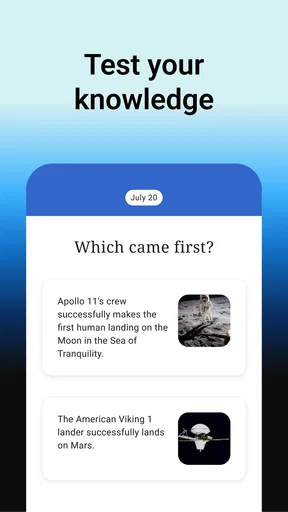
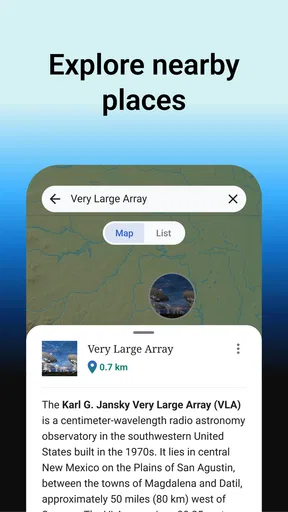
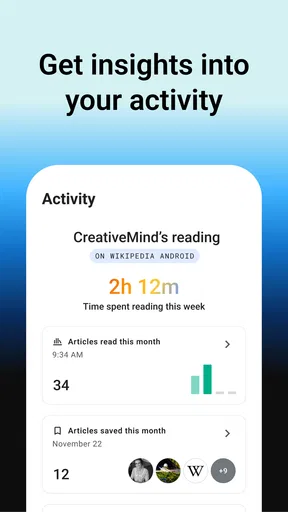
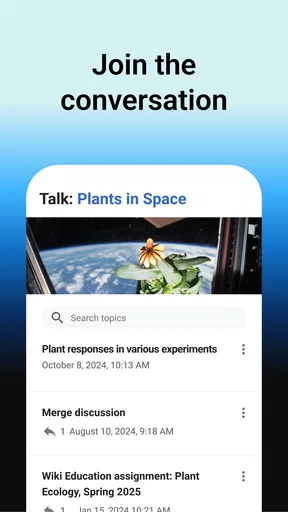
Our Review of Wikipedia
 Analysis by Appyee
I use Wikipedia when I need a quick explanation, a starting point for research, or a reminder of a fact that has slipped my mind. On a phone, the official app feels more practical than simply opening the site in a browser, especially when I am moving between articles, saving pages for later, or trying to read without the distractions of several open tabs. It is a free Books & Reference app from the Wikimedia Foundation, rated for Everyone 10+, and it remains one of the easiest ways to carry a huge reference library in your pocket.
My overall impression is positive, but with an important qualification: this is a tool for discovering and navigating information, not a substitute for checking sources in serious academic, medical, legal, or professional work. That distinction affects almost every part of the experience. The app is excellent at helping me understand a topic quickly and follow related ideas. It is less suitable when I need a tightly edited textbook, a guaranteed expert answer, or a polished offline reference collection with no dependence on changing online content.
How the official Wikipedia app feels today
I look at the official Wikipedia app as a shared household reference shelf that happens to fit in a pocket: useful when someone asks what a word means, where a place is, or why a historical event matters. In this section, I’ll focus on how that quick, open-ended reading experience works in ordinary family life, before considering the practical boundaries that shared devices call for.
A focused reading experience rather than a simple web shortcut
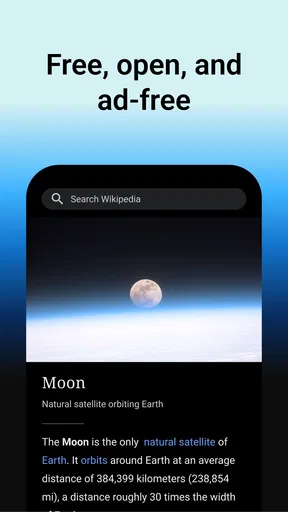
The first thing I notice is that the app is built around reading. I can search for a subject, open an article, and move through the text without feeling as though I am navigating a miniature desktop website. That matters on a phone, where cramped menus and accidental taps can make reference browsing tiring. The interface keeps the article central, while search and navigation remain close enough to use naturally.
I find it especially useful for short bursts of learning. If I hear an unfamiliar name in a podcast, see a historical reference in a film, or need context for a news story, I can look it up and then follow the links inside the article. Wikipedia’s real strength is this connected structure. One answer often leads to several more useful questions, and the app makes that chain of exploration feel natural.
The service has a 4.3 average from around 693 thousand ratings, with more than 50 million installs. Those figures do not make every article reliable, but they do show how established the mobile experience has become. I would not choose it because of popularity alone; I choose it because the combination of breadth, speed, and linked articles solves a problem that many smaller reference apps cannot.
Search is strongest when I already have a clue
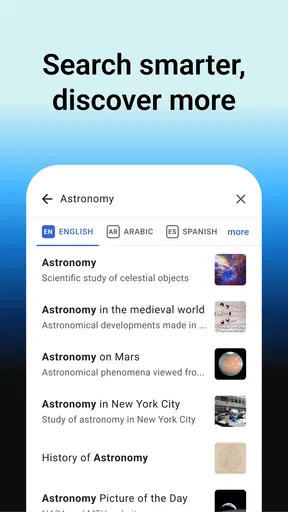
Search works best when I know at least part of the subject’s name. A person, place, scientific term, event, or cultural work can usually lead me to the right page quickly. From there, the article’s internal links are often more valuable than the initial result. I can move from a broad topic to a specific concept without repeatedly returning to a general search engine.
There is a trade-off, though. Wikipedia is not always the best place to begin when I have a vague question expressed in everyday language. A conventional search engine may be better at interpreting a long, conversational query and showing several types of sources at once. The app becomes more useful after I have identified the key term I want to investigate.
One practical habit helps: I read the opening section first, then inspect the references and the article’s structure before accepting the explanation. The opening usually gives enough context to decide whether the page is relevant. If I need confidence rather than orientation, I continue to the citations and compare the claims with the original sources.
Why the app is valuable for connected research
Wikipedia’s article network is more useful than it may appear at first. When I am learning about a historical period, for example, I can move from an event to the people involved, then to the institutions, geography, and surrounding political context. This is not the same as following a carefully designed course, but it is a very effective way to build a mental map of an unfamiliar subject.
I also like using it as a vocabulary tool. Technical articles often introduce terms that would otherwise require separate searches. Tapping through those terms gives me a faster sense of how ideas relate to one another. The downside is that this can become a rabbit hole. A short lookup can turn into twenty minutes of reading, so I try to decide beforehand whether I am looking for one fact or genuinely exploring a subject.
The app is at its best as a launchpad for understanding, not as the final authority. That is the mindset I recommend to anyone installing it. Used that way, its enormous coverage becomes an advantage instead of a reason to trust every sentence automatically.
Offline reading changes how I use it
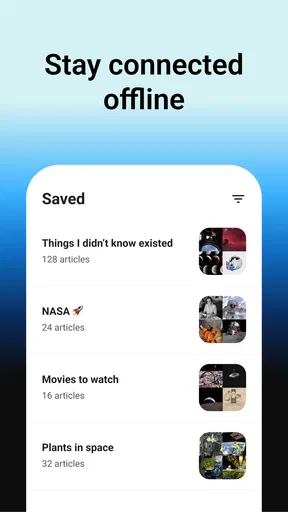
When I know I will be travelling or dealing with an unreliable connection, I prepare pages in advance rather than assuming that every article will be available at the exact moment I need it. Saving useful reading for later is one of the more practical workflows in the app. It turns a quick online search into a small personal reading queue, which is helpful for commutes, flights, waiting rooms, and study sessions.
Offline access is not a replacement for having the whole encyclopedia stored locally. I have to think ahead about which articles I want, and linked pages may not all be available unless I saved them too. That limitation is easy to overlook. If I am researching a topic with many related entries, I save the central article and the most important supporting pages before leaving a connection.
This is also where the app differs from a traditional reference book. A printed book is predictable once I own it, while Wikipedia’s content is continually maintained and the app depends on preparing the right material for offline use. In return, I get a much broader and more current starting point than a single volume could provide.
Small habits that make reading more efficient
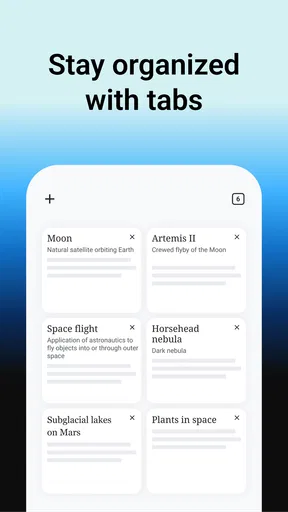
I have found three habits particularly useful. First, I use the article’s table of contents to skip directly to the section that answers my question instead of reading from the beginning every time. Second, I save articles that require more attention rather than leaving them open in a browser tab. Third, I check the references whenever a claim affects a decision, an assignment, or something I plan to repeat to someone else.
A fourth habit is to compare the article with its discussion or revision context when a subject is controversial. Wikipedia pages can change, and a polished paragraph may hide disagreement or ongoing editing. I do not inspect that background for every casual lookup, but it is worthwhile when the topic is politically sensitive, historically disputed, or likely to be simplified.
What the current version means for established users
The current version is identified as 50603-r-2026-08-25, and the app supports devices running Android 6.0 or later. For someone who has used Wikipedia on a phone before, the important point is continuity: this remains a reading and discovery tool rather than a social network, a course platform, or a replacement for a dedicated e-book reader.
That continuity is reassuring for existing users who simply want dependable access to articles. At the same time, a version label by itself does not tell me that every part of the experience will feel dramatically different. I would judge an update by whether searching, reading, saving, and returning to articles feel stable on my particular device, rather than expecting a completely redesigned product after each release.
The app was released on January 13, 2012, so it has had a long life on mobile. That history helps explain why the basic workflow feels familiar. It also means some users may notice that the experience is intentionally focused instead of packed with fashionable extras. I see that as a strength when I want reference material, although people looking for a highly personalized learning system may find it limited.
Where it fits beside browsers and other reference tools
Compared with using Wikipedia in a mobile browser, the app gives me a cleaner, more deliberate reading space. A browser is more flexible when I need to compare Wikipedia with news reports, journals, maps, or shopping pages in the same session. It is also convenient when I do not want another app installed. I prefer the dedicated app for repeated reading and the browser for broader source comparison.
Compared with an encyclopedia subscription or a specialist database, Wikipedia offers far wider general coverage without a payment barrier. Specialist services are better when I need controlled terminology, professional indexing, editorial review, or dependable authority in a narrow field. Wikipedia is better for orientation, background, and discovering the vocabulary needed to search those specialist resources effectively.
Compared with a note-taking app, Wikipedia is not designed to become my own organized knowledge base. I can save reading, but I still need another tool if I want detailed annotations, project folders, citations formatted for an assignment, or a long-term research archive. This distinction is important for students: the app can support research, but it does not automatically turn browsing into properly documented work.
A realistic everyday scenario
Imagine I am preparing for a weekend visit to a museum in a city I do not know well. I search for the city, read a short history, open pages about the neighborhood and the relevant artistic movement, and save the articles I expect to revisit. On the journey, I can read the saved material without relying on a strong connection. When I arrive, I already understand enough context to appreciate what I am seeing, while still knowing that the app is background reading rather than a museum guide.
Another common situation is troubleshooting a conversation rather than a device. Someone mentions a historical treaty, a programming concept, or a musician I have never heard of. I use the app to establish the basic meaning, follow one or two related links, and then decide whether the subject deserves deeper research. That workflow is quick, low-pressure, and exactly where Wikipedia earns a permanent place on my phone.
Where the experience still has limits
The largest weakness is not a missing button; it is the uneven nature of the content. Article quality varies by subject and language. Some pages are impressively detailed, while others are brief, heavily technical, or written in a way that assumes prior knowledge. I have learned to treat the opening paragraph as a map, not a complete answer.
Neutrality and sourcing also require judgment. A citation at the bottom of a page is useful, but it does not mean every sentence has equal support. References may point to sources with different levels of authority, and a page can lag behind developments in a fast-changing field. For medical symptoms, legal choices, financial decisions, or safety advice, I would use the app only to understand terminology before consulting a qualified source.
Reading on a small screen can become tiring with long articles, tables, formulas, and dense reference sections. The app improves access, but it cannot make complex material simple automatically. For sustained study, I often prefer a larger display, a printed source, or a specialist text alongside the app.
There is also a focus problem. The ease of jumping between links encourages unfocused browsing. If I have a deadline, I set a narrow goal, save only the relevant pages, and leave the app once I have enough context. Without that discipline, the app can consume time while giving me the feeling that I am making progress.
Who should install it, and who should look elsewhere
I recommend it to curious readers, students beginning research, travellers who want cultural and historical context, language learners who enjoy comparing explanations, and anyone who regularly needs a fast reference point. It is particularly good for people who prefer following ideas through connected articles instead of receiving one isolated answer.
I would be more cautious about recommending it to someone who wants a fully guided curriculum. The app does not replace a teacher, a structured course, or a textbook that builds knowledge in a planned order. It is also not the right primary tool for professional decisions where current, authoritative, and accountable information matters more than breadth.
People with limited storage or very old devices should check whether their device meets the Android 6.0 minimum before planning to use it. The app itself is free, which removes an important barrier, but the practical cost can still include mobile data, storage for saved reading, and the time spent checking sources when accuracy matters.
What I would like users to watch over time
For future use, I would pay attention to how smoothly the app handles saved reading, search, and long articles as the platform evolves. Those everyday actions matter more to me than cosmetic changes. I would also watch how quickly information-heavy topics reflect new developments, while remembering that updates to an article are a community process rather than a guarantee of instant coverage.
Existing users should approach new releases with a simple test: can I find an article, understand its structure, save what matters, and return to it without friction? If the answer remains yes, the app is doing its job. New users should spend a few minutes learning where the contents, references, and saved pages are located; that small investment makes the experience much more useful than treating it as a one-line answer machine.
My final view is that Wikipedia remains one of the most useful free reference apps I keep available. Its value comes from range and connected reading, not from pretending to replace every other source. I use it to get oriented, build questions, prepare for deeper research, and make ordinary moments of curiosity more rewarding. If you approach each article with sensible skepticism and use the references when the stakes are high, it is an excellent companion for everyday learning.
For me, the deciding question is simple: do you want a broad, fast doorway into knowledge, or a fully authoritative and structured reference system? If you want the doorway, this app is easy to recommend. If you need the finished answer, use it as the first step and bring a more specialized source into the process.
Privacy and Permissions
See what permissions an app requests and how it handles your data.
- Identity
- find accounts on the device, add or remove accounts
- Contacts
- find accounts on the device
- Location
- approximate location (network-based), precise location (GPS and network-based)
- Phone
- read phone status and identity
- Photos/Media/Files
- read the contents of your USB storage, modify or delete the contents of your USB storage
- Storage
- read the contents of your USB storage, modify or delete the contents of your USB storage
- Wi-Fi connection information
- view Wi-Fi connections
- Device ID & call information
- read phone status and identity
- Other
- view network connections, create accounts and set passwords, full network access, run at startup, control vibration, prevent device from sleeping
Verdict
Strengths of Wikipedia
- Free access to a vast range of reliable reference information.
- Available in many languages for users around the world.
- Dark mode improves reading comfort in low-light conditions.
- Articles include citations and links for further research.
- No advertising or subscription is required to browse content.
Limitations of Wikipedia
- Article quality and depth can vary between different topics.
- Some pages may contain outdated or incomplete information.
- The interface can feel dense for users unfamiliar with Wikipedia.
- Editing and contribution features may be less intuitive on mobile.
- Content may be affected by temporary disputes or vandalism.
Similar Picks in This Category
View All
Google Play Books & Audiobooks
Google LLC4.7

네이버 - NAVER
NAVER Corp.3.5

Wattpad - Read & Write Stories
Wattpad.com3.7

King James Bible - Verse+Audio
Ozion4.8

Bible Offline-KJV Holy Bible
Bíblia Offline4.9

Amazon Kindle: Reading App
Amazon Mobile LLC4.8
Frequently Asked Questions
What is Wikipedia, and what can I use it for?
Wikipedia is a free online encyclopedia containing articles about history, science, technology, culture, geography, entertainment, and many other subjects. After installing the app, you can search for topics, browse related articles, read content in different languages, and explore references for further research. It is useful for learning and getting an overview of a subject, although important information should always be checked against reliable primary or specialist sources.
Is the Wikipedia app free to download and use?
Yes. The official Wikipedia app is free to download and use on supported Android and iOS devices. It does not require a subscription to read articles, search the encyclopedia, save pages, or use many of its standard features. Wikipedia is supported by donations rather than traditional advertising in the encyclopedia, so users may occasionally see requests encouraging them to contribute financially to the Wikimedia Foundation.
Can I read Wikipedia articles offline?
The app offers features that can help you access content when you do not have a stable internet connection, including saving articles for later reading. However, offline availability depends on what you save in advance and on the app version and device settings. Newly updated pages, external references, images, and some interactive content may not work without an internet connection, so offline access should not be treated as a complete copy of Wikipedia.
Can I edit Wikipedia articles from the mobile app?
Yes, registered users can generally edit many Wikipedia articles through the mobile app, while some pages may be protected or restricted. The editor is suitable for correcting mistakes, improving wording, adding properly sourced information, and participating in discussions. Before making changes, users should understand Wikipedia’s community guidelines, neutral-point-of-view policy, and citation requirements. Edits are publicly recorded and may be reviewed, changed, or reverted by other contributors.
Is the information on Wikipedia reliable and safe to use?
Wikipedia can be a helpful starting point because articles often include references, revision histories, and links to related topics. Nevertheless, it is collaboratively written, meaning quality can vary between pages and information may occasionally be incomplete, outdated, or disputed. For school assignments, medical decisions, legal matters, or professional research, use Wikipedia to understand the topic and then confirm key claims through authoritative sources, qualified professionals, or the cited references.
